QR Code Guide — Make, Scan and Print QR Codes
October 7, 2026
Written by Mohammad Sohail
A QR code is a square barcode that stores a short piece of data — a link, a WiFi password, a contact card — and lets a phone camera read it in about a second. This guide covers what sits inside the pattern, how to make one for each common job, how to scan one, what size to print, and the traps that make free QR codes stop working months after you have put them on a wall. Every generator linked below runs in your own browser, so nothing you type is uploaded anywhere.
What Is a QR Code and How Does It Work?
QR stands for Quick Response. Denso Wave patented the pattern in 1994 so car parts could be read quickly on a factory line, and has left the patent royalty-free ever since, which is why QR codes show up on everything. Unlike the barcode on a cereal box, a QR code carries data in two dimensions — the black modules run left to right and top to bottom — so a small square holds far more information than a row of stripes.
The pattern also carries error correction in four levels (L, M, Q and H). At level H roughly 30 percent of the modules can be damaged, smudged or covered and the code still reads, which is why a logo can sit in the middle of the square without breaking it.
The code itself is only text. What happens next depends on what that text says: a link opens a page, a WIFI: string joins a network, a BEGIN:VCARD block saves a contact, a tel: number dials, and a geo: coordinate opens a map at those coordinates.
Static or Dynamic: Which Do You Need?
A static QR code has your data baked into the pattern. It never expires, needs no server, keeps working if the site that made it disappears, and is free almost everywhere.
A dynamic QR code stores a short redirect address instead, so you can change where it lands after printing — useful for menus and campaigns that change. The catch is ownership: the code only works while that redirect service is alive, still funded and still pointed at your account. Print a thousand flyers with one and you have signed up for a subscription you did not ask for.
Rule of thumb: anything you are going to print should be static.
How to Make a QR Code: Pick the Type You Need
Choose the type first, because the data format decides whether the phone shows a link, joins a network or saves a contact:
• Website or link → URL QR code generator
• WiFi network → WiFi QR code generator
• WhatsApp chat → WhatsApp QR code generator
• Contact card → vCard QR code generator
• Email address → email QR code generator
• Phone number → phone QR code generator
• Plain text or a code snippet → text QR code generator
• Map pin or directions → maps QR code generator
• PDF or document link → PDF QR code generator
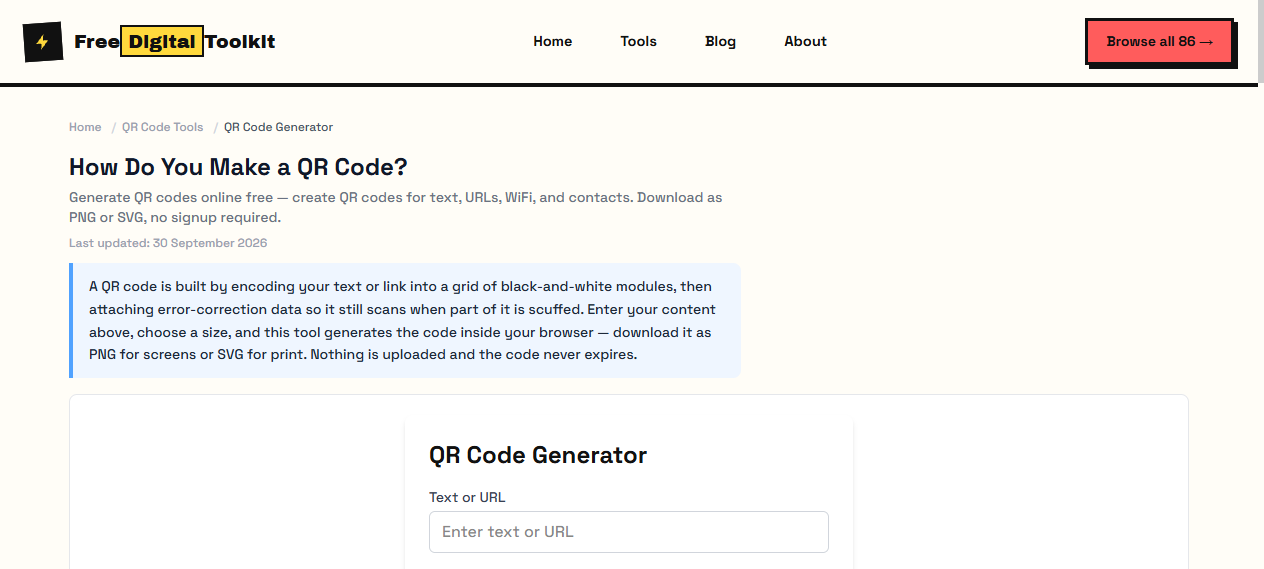
Not sure which one you need? Start at the free QR code generator and paste what you have — it picks the format for you.
How to Make a WiFi QR Code
You need four pieces of information: the network name (SSID), the password, the security type, and whether the network is hidden. The SSID is case sensitive, so HomeWiFi and homewifi are different networks to a phone. WPA covers WPA, WPA2 and WPA3 — they share one value — while WEP is only for very old hardware and nopass is for an open network with no password at all.
The finished code is a single line of text: WIFI:S:HomeWiFi;T:WPA;P:yourpassword;; Any backslash, semicolon, colon or quote inside the password has to be escaped with a backslash or the phone will read a different password. That escaping is the most common reason a hand-built WiFi code refuses to connect, and it is handled for you by the WiFi QR code generator.
Before printing: disconnect your phone from the network, open the camera, scan, and watch it join. Test on an iPhone and an Android phone if you have both, and put the code on a guest network rather than your main one.
How to Scan a QR Code
No app is required. On an iPhone running iOS 11 or later, open the Camera app, point it at the code and tap the banner that appears. On Android 9 and later the camera app does the same, as do most manufacturer cameras. If a code will not read: wipe the lens, move closer or further away, kill the glare from a glossy surface, and check that the white margin around the code has not been cropped off.
What Size Should a QR Code Be?
Scan distance and printed size move together. These are the sizes that work in practice:
• Phone held 15 to 20 cm from a sticker or card: at least 2 x 2 cm, about 1 inch.
• Table card or menu read at arm's length: 3 to 4 cm.
• Poster or window sign read from 1 to 2 metres: 8 to 10 cm.
• Anything read across a room: 10 cm or larger, with a caption underneath.
Keep a quiet zone of at least four modules — the white border — on every side, print black on white for the best contrast, choose a matte finish because gloss reflects the camera flash, and use the highest error correction level if a logo or lamination is involved. Add a caption such as Scan to join: an unlabelled code looks like a coupon or a trap, and people walk past it.
PNG, SVG or PDF?
PNG is for screens and email — convenient, but it blocks up when you enlarge it. SVG is vector, so it stays sharp from a 2 cm sticker to a 1 m yard sign, and it is the right choice for anything going to a printer. PDF is what a print shop will ask for. Whatever the format, scan the printed proof once before the full run.
Why Some Free QR Codes Stop Working
The most common complaint about free generators is not the price, it is the surprise three months later. Some services encode their own domain and redirect through it, which means splash pages, advertising or a change of policy between you and your destination. Others expire codes, reuse them, or disable them when a free plan changes. All of that is avoidable:
• Decode the code with any scanner and read the text — it should contain your address, not somebody else's short link.
• Confirm it is static before you print it.
• Download the SVG so you can reprint it yourself, from a file you own.
• Avoid anything that only works while you are logged into an account.
A QR code whose text you cannot read is a QR code you do not own.
Is a QR Code Safe?
Anything encoded in the pattern is readable by anyone who can photograph it, from across the room if necessary. A WiFi QR carries your password in plain text — that is how a phone joins without asking a server — so treat the printed code as the password itself. Use a guest network, keep private document links off public signs, and remember that a vCard contains whatever you typed into it: name, phone, email, address.
Next Step
Open the free QR code generator to make your first code, or jump straight to the type you came for — WiFi, URL, WhatsApp, vCard, email, phone, text, maps or PDF. If a link is all you have, the link-to-QR walkthrough covers that job end to end.
Frequently Asked Questions
What is a QR code in plain English?
A QR code is a square barcode that stores a short piece of text — a link, a WiFi password, a contact card — in a pattern a phone camera can read in about a second. The text decides what happens next: a link opens, a WiFi string joins a network, a contact card saves to the address book.
What is the difference between a static and a dynamic QR code?
A static code stores your data directly in the pattern, so it never expires and needs no server. A dynamic code stores a short redirect address instead, which lets you change the destination later — but it only works while the service behind that redirect is alive and paid for.
Does a QR code need internet to work?
The code itself does not. Reading it takes no connection at all, because the data sits in the pattern. Whether anything useful happens depends on what the data points to — a local WiFi join works offline, while a web link obviously needs a connection to load.
How big should a QR code be when printed?
At least 2 x 2 cm (about 1 inch) for a phone held 15 to 20 cm away, 3 to 4 cm for a table card read at arm's length, and 8 to 10 cm for a poster or sign read from one to two metres. Keep a white margin of at least four modules around it.
Can I change a QR code after printing?
Not if it is static — the data is part of the image, so changing it means generating a new code and replacing every printed copy. Dynamic codes can be re-pointed without reprinting, which is exactly why their owners charge for them.
Is it safe to put my WiFi password in a QR code?
Treat the code as the password itself: anyone who can photograph it can read it and connect. For homes and businesses that is usually fine on a separate guest network. It is not fine to point a printed code at your main network somewhere public.
Try it yourself
Open Tool →