How to Turn a Link Into a QR Code — Free, No Signup
October 10, 2026
Written by Mohammad Sohail
A QR code is the fastest way to move a link from a screen or a printed page onto a phone — no typing, no retyping a long URL onto a tiny keyboard. This guide shows how to turn a link into a QR code in about ten seconds, for free, with nothing to sign up for, and covers the details that decide whether the code still works six months after you print it.
Turn Link Into QR Code: The Three-Step Version
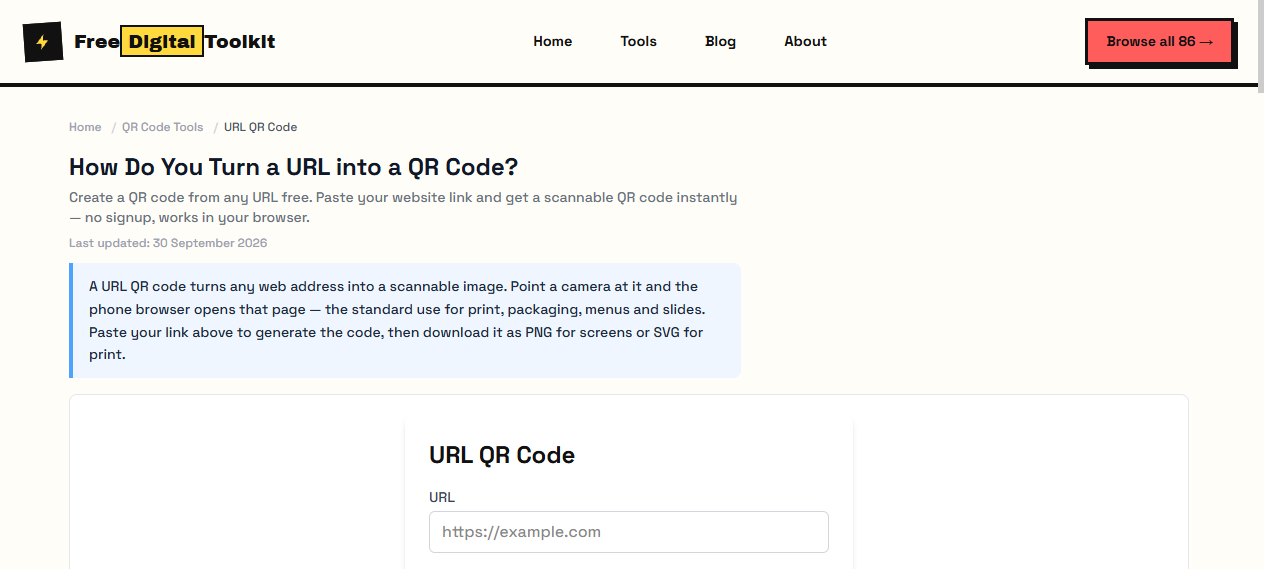
Step 1: open the URL QR code generator. Step 2: paste the full link, including the https:// part — a code built from www.example.com without the scheme can fail on some older scanners. Step 3: download the file. PNG for anything on a screen, email or social post; SVG if the code is going anywhere near a printer, because SVG stays sharp at any size.
The generator draws the pattern as you type, so you can see the code change while you edit. Nothing you paste leaves your browser — there is no upload step, no server in the middle, and no account waiting at the end of the download button.
Convert URL to QR Code: What Actually Happens Inside
The generator encodes your exact link as text into the black-and-white modules of the pattern, using error correction so a smudge or a small logo does not break the read. When someone points a camera at the result, the phone decodes that text and offers to open it. No lookup table is involved, which is the whole reason the process can be free and instant.
It also means the code is only as good as the URL inside it. Check the destination opens on a phone before you print anything: a link to an office intranet, a PDF only your team can access, or a page behind a login will simply frustrate whoever scans it.
Is It Free? Converting a URL to a QR Code Without Paying
Free, because a static code has no running costs. The URL is stored in the pattern itself — there is no redirect service, no analytics dashboard and no monthly invoice keeping the code alive. You download the image and you own it.
The catch is that some generators are free to create and not free to keep. They encode their own short domain in front of your link, show a splash page, or expire the code when a trial ends. The tell is simple: decode your own code with a scanner app and read the text. If it contains a stranger's domain instead of your URL, you do not own that code.
QR Code for Link: Where People Actually Use Them
Business cards — the card carries the portfolio or contact page without spelling it out. Flyer and poster footers — Scan to register, Scan to book, Scan to see the menu. Conference name badges and table tents. Restaurant menus that change seasonally (point the code at a stable page you can edit). Resume headers linking to a LinkedIn profile or a personal site. Window signs for shops. Instagram or TikTok bios, where a printed code bridges the offline-to-online gap that a platform link cannot.
In every one of those cases the job is the same: the reader is standing somewhere with the code in front of them and a phone in their hand. Typing is the failure mode you are removing.
What a Good Link-to-QR Generator Should Do
Before you commit a code to 500 printed flyers, check the generator against this list:
• Static encoding — your URL in the pattern, not a redirect through someone else's domain.
• PNG and SVG download — PNG today, SVG when the print shop asks for it.
• No signup wall in front of the download button.
• No expiry, no plan tiers on a code you already made.
• Works offline — if the page keeps working with your network cable unplugged, nothing is being uploaded.
The URL QR code generator checks all five. The broader QR code generator does the same and auto-detects WiFi, email, phone and contact formats if your text is not a plain link.
Size and Print Rules That Keep the Code Scannable
Scan distance sets the size: about 2 x 2 cm (1 inch) for a card or sticker read at arm's length, 3 to 4 cm for a table sign, 8 to 10 cm for a poster read from one to two metres, and larger for anything across a room. Keep the white quiet zone — at least four modules — on all four sides, print black on white for maximum contrast, and avoid gloss finishes that bounce the camera flash back at the lens.
Add a short caption under the code. An unlabelled square looks like a coupon or a phishing trap, and people walk past it. Scan to open the menu tells a stranger exactly what will happen. The full size guide covers print sizes, error correction levels and the static-versus-dynamic trade-off in more depth.
Five Mistakes That Make Link QR Codes Fail
Testing on the designer's desktop instead of a phone. Forgetting the https:// prefix. Pointing the code at a URL with an expiry — a shared-drive link, a signed S3 URL, a calendar invite. Printing at 1 cm because it looked fine zoomed in. Using a glossy laminate on a poster that faces a window. Each one is avoidable in about a minute of testing: scan the printed proof with two different phones before the full run.
Next Step
Paste your link into the URL QR code generator and download the PNG or SVG. If you need WiFi, WhatsApp, contact or maps codes instead, the full QR generator handles those too — and the QR code guide explains what sits inside the pattern.
Frequently Asked Questions
How do I turn a link into a QR code?
Open the URL QR code generator, paste the full link including https://, and the code is drawn instantly. Download it as PNG for screens or SVG for print. The whole process takes about ten seconds and needs no account.
Is it free to convert a URL to a QR code?
Yes — a static URL QR code is free and stays free. The link is stored directly in the pattern, so there is no server, no subscription and nothing to renew. Be wary of services that charge to keep your code alive; that only applies to dynamic redirect codes.
Does a QR code made from a link expire?
Not when it is static. Your URL sits inside the pattern itself, so the code keeps working as long as the destination page exists — even if the generator site disappears, because you already downloaded the image. Dynamic codes expire when the redirect service stops billing you.
Can I change where a link QR code points after printing?
No. Changing the destination means generating a new code and replacing every printed copy. If you know the destination may change, print a shorter link with a redirect you control (like a page on your own site) and put the QR code on that page instead.
What size should a QR code for a link be?
At least 2 x 2 cm (about 1 inch) on a card or sticker read at 15 to 20 cm, 3 to 4 cm on a table sign, and 8 to 10 cm on a poster or window read from one to two metres. Keep the white border around it and add a short caption such as Scan to open.
Related Guides
Try it yourself
Open Tool →