Color Palette Generator
Generate beautiful color palettes for your designs online free — create harmonious color schemes for any project instantly.
Last updated: 10 October 2026
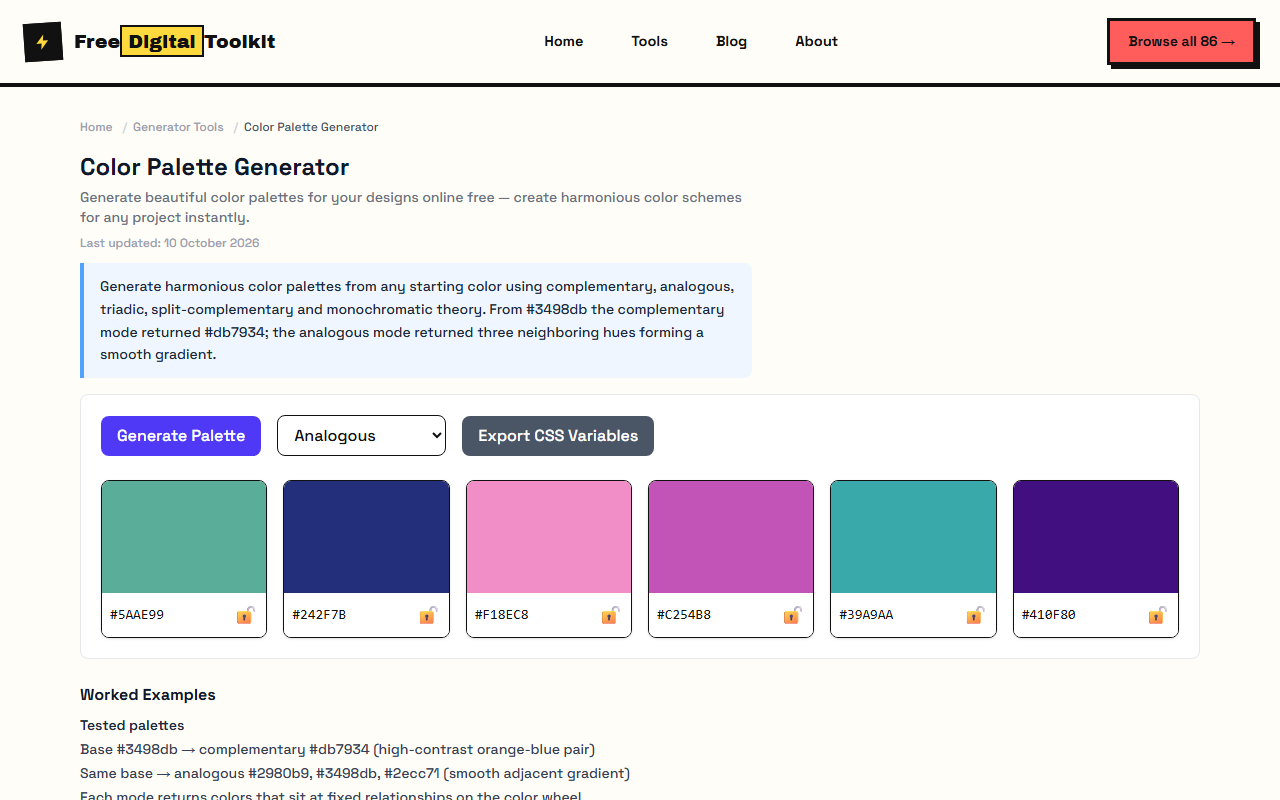
Generate harmonious color palettes from any starting color using complementary, analogous, triadic, split-complementary and monochromatic theory. From #3498db the complementary mode returned #db7934; the analogous mode returned three neighboring hues forming a smooth gradient.
Worked Examples
Tested palettes
- Base #3498db → complementary #db7934 (high-contrast orange-blue pair)
- Same base → analogous #2980b9, #3498db, #2ecc71 (smooth adjacent gradient)
- Each mode returns colors that sit at fixed relationships on the color wheel
Applying a palette
- Complementary for maximum contrast — CTAs against neutral backgrounds.
- Analogous for calm, cohesive sections and hero gradients.
- Monochromatic when typography and imagery should carry the personality, not color.
Screenshots
About Color Palette Generator
Generate beautiful color palettes for your designs. Create harmonious color schemes based on color theory principles — complementary, analogous, triadic, split-complementary, and monochromatic. Each mode produces colors that naturally work together. Test data: starting from #3498db (a medium blue), the complementary mode produced #db7934 (orange), creating a high-contrast pair. The analogous mode returned three neighboring hues — #2980b9, #3498db, and #2ecc71 — forming a smooth gradient of adjacent colors on the wheel.
Limits: Does not generate accessibility-optimized palettes — always check contrast ratios separately; Color harmony is based on HSL math, not perceptual uniformity — some pairs may appear unbalanced on certain displays; No export to design tools like Figma or Sketch — copy hex codes manually; Does not account for color blindness — verify palettes with a color blindness simulator
Who Uses This Tool
- A UI designer generating a 5-color palette from a client's brand color to create a cohesive design system
- A web developer choosing a complementary color scheme for a landing page hero section
- An illustrator creating an analogous palette for a landscape painting with sky, water, and vegetation tones
Key Features
- Five color harmony modes
- Click to copy hex codes
- Save favorite palettes
- Adjustable base color
- Real-time palette generation
- Preview colors together before choosing
How to use Color Palette Generator
- Click 'Generate' or adjust the base color to create a new palette.
- Click any color swatch to copy its hex code to your clipboard.
- Toggle between harmony modes (complementary, analogous, triadic, etc.).
- Save your favorite palettes for later use.
How It Compares
Unlike Coolors.co which offers more interactive editing but requires account creation for saving palettes, this tool generates palettes instantly with no sign-up. It also provides clear color theory labels for each mode — Coolors uses random generation more than educational color theory.
Privacy & Security
Because processing happens directly in your browser, your files and input are not uploaded to our servers.
Written and checked by Mohammad Sohail
Palette relationships re-checked on 10 October 2026 against color-wheel theory.
About FreeDigitalToolkit →Frequently Asked Questions
What color theory modes are available?
Complementary (opposite colors on the wheel), analogous (adjacent colors), triadic (three evenly spaced colors), split-complementary (base + two neighbors of its complement), and monochromatic (variations of one hue).
How do I choose between palette modes?
Complementary creates bold contrast (good for CTAs). Analogous is calming and cohesive (good for backgrounds). Triadic is vibrant and balanced (good for illustrations). Split-complementary offers contrast with more nuance than pure complementary.
Can I use these colors commercially?
Yes. Color combinations are not copyrightable. The hex codes generated here are standard color values — use them freely in any project.
What if the generated colors don't look right?
Color perception varies by monitor calibration and display settings. The tool uses mathematically correct relationships on the HSL color wheel, but some combinations may need manual adjustment for your specific use case. Try tweaking saturation or lightness.
How many colors does each palette generate?
Each palette produces 5 colors — a base color plus 4 harmonious variations. This gives you enough range for a complete design system (primary, secondary, accents, and neutrals).
Related Tools
Browse all Generator Tools or explore our full collection of 86 free tools.